
How to Access Knit Camp® on Your Device
There are a few ways to access Knit Camp, depending on the type of device you use and how you prefer to login. You can login from the app or the website, and may wish to try both so you can see the differences and choose which one works best for you.
Option 1: Download the App
Download the Thinkific App from the App Store or Google Play Store.
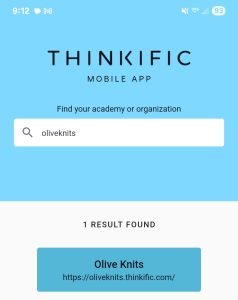
When you login for the first time, you’ll see a search bar. Type “oliveknits” into the search bar, and click the link when it appears. Then login using the same details you used when you signed up for Knit Camp.
The app makes it easy to access most of the features available in the community – BUT it does have a few limitations. Alternatively, you can create a shortcut on your phone, which operates similarly to an app, but allows you access to all of the features on the website. See the next section for details.
Option 2: The Website
The Thinkific website has more features than the app, so be sure to check it out online and see what’s available on the website.
To access Knit Camp online, you’ll login to your account at this link: https://oliveknits.thinkific.com/enrollments
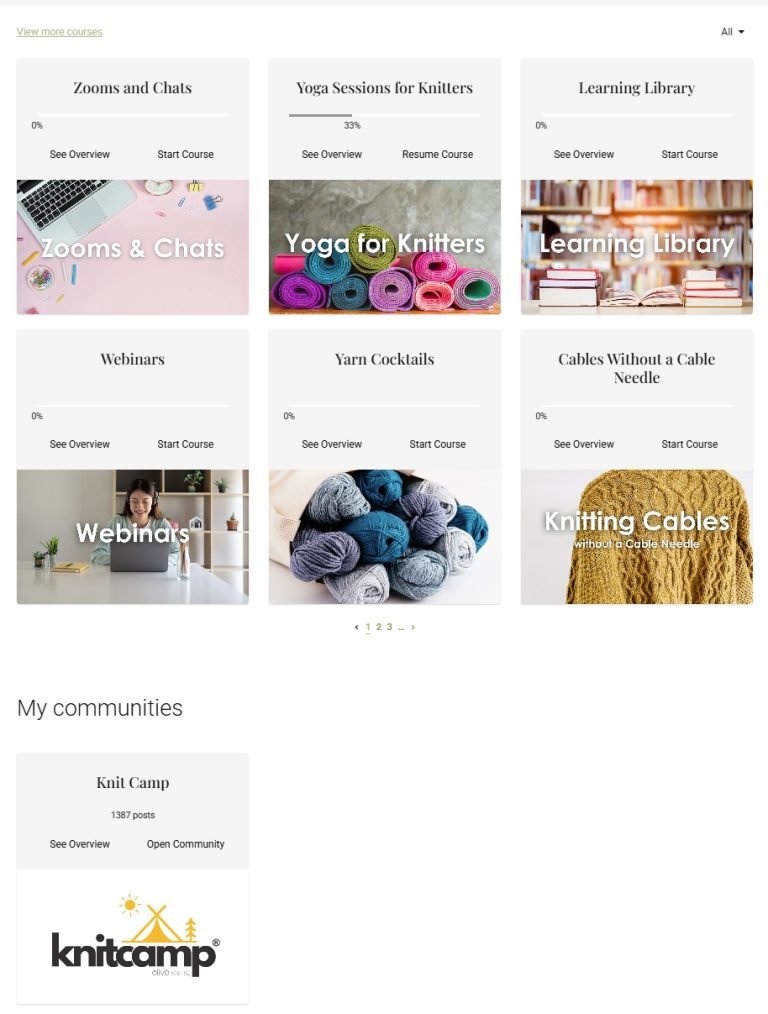
Once you login, you’ll see all of your workshops and courses – including any that you previously purchased from Olive Knits – as well as the courses that are included with your Knit Camp membership. If you scroll down that page, you’ll see the Knit Camp Community, which is where we chat and where you’ll find announcements and other updates.
Your login for Knit Camp on Thinkific is the same whether you use the app or the website.
Some Knit Campers like to use the app and the website – it’s up to you!
Option 3: Create a Shortcut
A shortcut (also known as a bookmark) is a great way to get the added functionality of the website, with the convenience of an app icon on your phone. Here are tutorial links that walk you through the process of creating a shortcut on your device. The process is slightly different depending on which kind of phone or device you’re using, so choose the one that fits your needs.
When you create a shortcut, it will add an icon to your phone or device and you’ll be able to get back to Knit Camp using that icon.
THIS IS THE PAGE YOU’LL WANT TO SHORTCUT TO: https://oliveknits.thinkific.com/enrollments
Check out these tutorials for how to add a shortcut:
As always, if you need help, email admin@oliveknits.com for support.
